






Guide of Laser Cutting Machine Maintenance
Laser cutting machine maintenance is crucial for ensuring optimal performance, extending equipment lifespan, and achieving high-quality cuts. A well-maintained machine minimizes downtime, reduces repair costs, and enhances workplace safety. This comprehensive guide outlines daily, weekly, and periodic maintenance tasks, covering everything from optical lens care to laser and chiller maintenance. Whether you’re a technician or a machine operator, this guide provides actionable steps to keep your laser cutting machine in top condition.
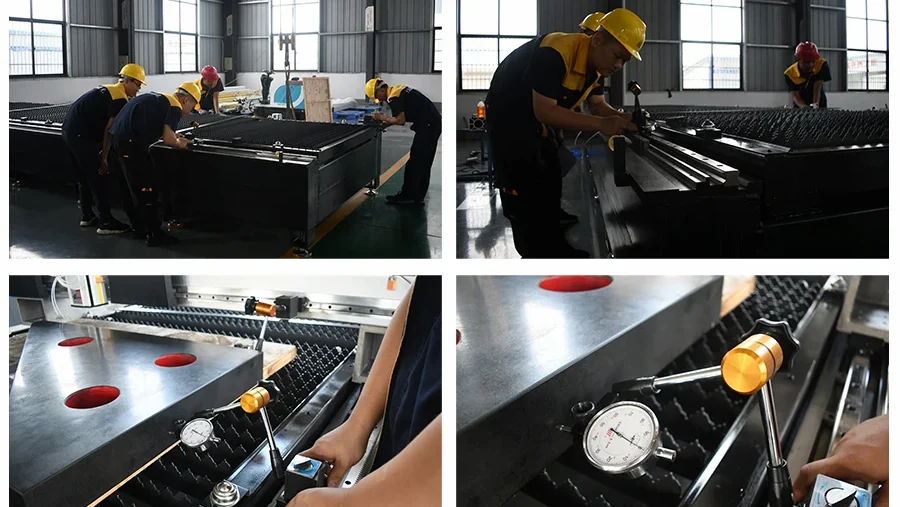
1. Daily Laser Cutting Machine Inspection and Maintenance
Daily checks and maintenance tasks are essential to prevent minor issues from escalating into costly repairs. Follow these steps before and after operating your laser cutting machine.
a. Check Gas Pressure
Before powering on, inspect the pressure of the laser working gas and cutting gas. If the pressure is insufficient, replace the gas cylinder promptly to ensure consistent cutting performance.
b. Verify Button Functionality
Examine critical buttons, including X-axis zero point, Y-axis zero point, Z-axis zero point, and laser preparation status. Check for physical damage and ensure indicator lights are functioning correctly.
c. Inspect Zero Points and Limit Switches
Confirm that the X, Y, and Z-axis zero points, limit switches, and mounting screws are secure. Test the sensitivity of limit switches to prevent misalignment during operation.
d. Monitor Chiller Water Level
Check the water level in the chiller’s circulation system. If the level is low, add distilled or deionized water to maintain proper cooling efficiency.
e. Examine External Optical Path
Inspect the external optical path’s water circulation system for leaks. Address any leaks immediately to protect optical lenses from damage and extend their lifespan.
f. Inspect Focusing Lens
After each cutting session, check the focusing lens for scratches, burns, or debris. Clean or replace damaged lenses to maintain cutting precision.
g. Check Bellows Condition
Inspect the external optical path’s bellows for burns or damage. Replace compromised bellows to protect the optical system from contamination.
h. Clean the Workspace
After daily operations, remove cutting debris and clean the work area. Wipe down the machine to ensure all components are free of dust and contaminants. Avoid placing miscellaneous items on the equipment.
i. Drain Air Compressor
Open the drain valve at the bottom of the air compressor’s storage tank to remove accumulated water. Close the valve once drainage is complete.
j. Proper Shutdown
Follow the manufacturer’s shutdown procedure, then turn off the main power supply to the machine to ensure safety and energy efficiency.
2. Weekly Laser Cutting Machine Maintenance
Weekly and periodic maintenance tasks enhance llaser cutting machine reliability and prevent long-term wear. Perform these tasks as scheduled or based on operating hours.
a. Clear Exhaust Port
Remove debris from the exhaust port to maintain effective ventilation and prevent overheating during operation.
b. Inspect Gas Path Filters
Check filters in the gas path for accumulated water or debris. Clean or replace filters to ensure a clean gas supply.
c. Secure Switch Brackets
Verify that travel switch brackets and bumper brackets are tightly secured. Tighten any loose screws to maintain accurate positioning.
d. Clean Control Cabinet
Remove dust from the control cabinet’s ventilation fan filter to ensure proper cooling of electrical components.
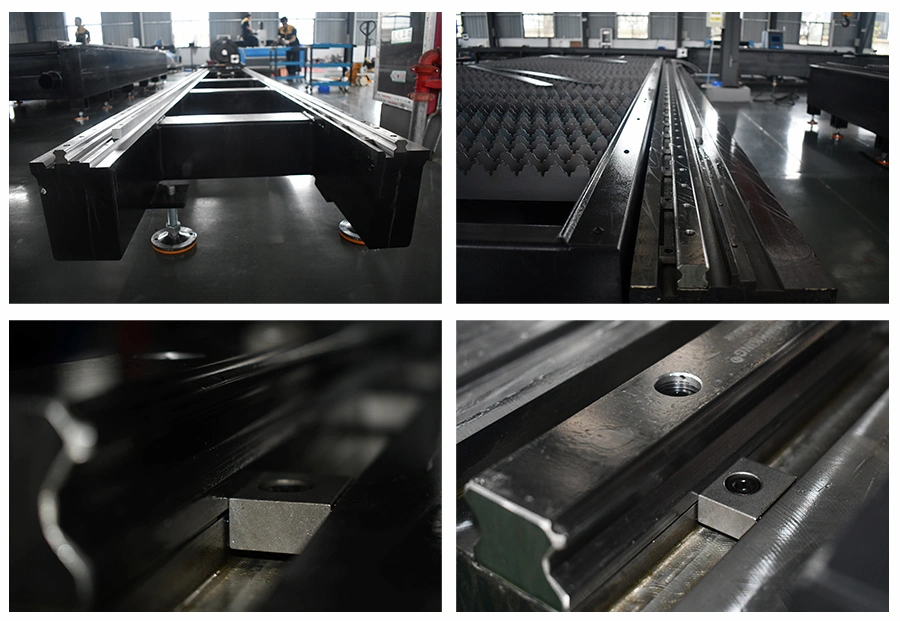
e. Maintain Guide Rails
Clear debris from guide rail bellows to prevent damage. Regular cleaning extends the lifespan of X, Y, and Z-axis guide rails.
f. Recalibrate Machine Level
After extended use, recheck and adjust the machine’s level to maintain cutting accuracy.
g. Lubricate Guide Rails and Screws
Every week, inspect and lubricate X, Y, and Z-axis guide rails and screws. Proper lubrication reduces friction and extends component lifespan.
h. Clean Optical Lenses
Inspect and clean reflectors and focusing lenses at least once a month. Remove contamination to preserve lens performance and lifespan.
3. Optical Lens Maintenance
Proper care of optical lenses (reflectors and focusing lenses) is critical to maintaining beam quality and cutting efficiency.
a. Avoid Direct Contact
Never touch lens surfaces with bare hands, as oils and dust can cause scratches or reduce performance. Use clean gloves when handling lenses.
b. Use Approved Cleaning Methods
Avoid using water or detergents, as they can damage the lens coating. Use specialized cleaning solutions like high-purity alcohol or acetone.
c. Store Lenses Properly
Keep lenses in a dry, clean environment to prevent surface degradation or mold growth.
d. Address Contamination Promptly
Dust, dirt, or moisture on lenses can absorb laser energy, leading to coating damage. Clean contaminated lenses immediately to avoid quality issues.
e. Replace Damaged Lenses
Contact the manufacturer’s service team for lens repairs. Avoid using damaged lenses, as they can accelerate deterioration.
f. Handle with Care During Installation
Apply minimal pressure when installing lenses to prevent deformation, which can compromise beam quality.
4. Installing or Replacing Optical Lenses
Follow these steps to safely install or replace optical lenses without causing damage.
a. Prepare for Installation
Wear clean gloves and wash hands with soap. Handle lenses by their edges to avoid touching the coated surface.
b. Clean the Lens Holder
Use a clean air gun to remove dust and debris from the lens holder before inserting the lens.
c. Secure the Lens
Place the lens gently into the holder and secure it without excessive force to avoid deformation.
d. Precautions During Replacement
Remove lenses carefully from packaging to prevent scratches. Use clean gloves and avoid applying pressure to the coated surface. After installation, clean the lens with an air gun to remove any residual dust.
5. Cleaning Optical Lenses
Cleaning methods vary depending on the lens type and shape. Use the appropriate technique to avoid damage.
a. Cleaning Flat Lenses with Lens Paper
Blow off surface dust with a bulb blower.
Place lens paper flat on the surface, apply 2–3 drops of high-purity alcohol or acetone, and gently pull the paper horizontally. Repeat until clean.
For stubborn dirt, fold the lens paper and repeat the process.
b. Cleaning Curved or Mounted Lenses with Cotton Swabs
Blow off dust with an air gun.
Use a clean cotton swab to remove dirt, then use a fresh swab dipped in high-purity alcohol or acetone to clean in circular motions from the center outward.
Replace swabs after each pass and repeat until clean.
Wipe with a clean cloth to remove residual marks, ensuring no scratches occur.
6. Daily Laser Maintenance
Perform these tasks before starting the laser to ensure safe and efficient operation.
Gas Check: Inspect laser working gas and cutting gas cylinders for adequate supply.
Cooling Water Pressure: Maintain water pressure between 3.5 and 5 Bar.
Cooling Water Temperature: Adjust to the manufacturer’s recommended temperature.
Vacuum Pump Oil Level: Check and top up oil if necessary.
Leak Inspection: Examine oil, water, and gas paths for leaks in the vacuum pump, resonator, and pneumatic components.
7. Weekly Laser Cutting Machine Maintenance
Weekly tasks keep the laser in optimal condition and prevent performance degradation.
Gas Mixture Unit: Remove oil or water from the gas mixture unit and replace the gas drying filter if more than 25% of it turns red or white (normal color: blue).
Pump Oil Levels: Check and top up oil in the vacuum pump and Roots pump.
Chiller Filter: Inspect and clean the chiller’s filter.
Cooling Water Circuit: Check for impurities in the cooling water circuit.
Air Separator: Drain condensed water from the compressed air separator.
8. Semi-Annual Laser Maintenance (or Every 2,000 Hours)
Perform these tasks every six months or after 2,000 operating hours to maintain long-term reliability.
Cooling Water Pipes: Inspect for corrosion and replace if necessary.
Power Supply: Check the oil tank for leaks.
High-Voltage Cables: Examine for damage.
Resonator Cleaning: Clean internal lenses, including front window, tail mirror, and reflectors.
Beam Adjustment: Recalibrate the laser output mode after cleaning.
Oil Replacement: Replace oil in the vacuum pump and Roots pump.
Sealing: Tighten all plugs to ensure Roots pump airtightness.
Gas Diverter: Clean the white plastic plug at the Roots pump’s gas diverter and apply a thin layer of silicone-free high-vacuum grease.
9. Chiller Maintenance
Regular chiller maintenance ensures effective cooling and prevents system failures.
Clean Heat Sinks: Brush and blow dust from heat sinks, using a specialized cleaner if needed.
Clean Condenser: Remove dust from the condenser.
Check Water Level: Top up with pure or deionized water if the level is low.
Inspect Electrical Terminals: Clean and check terminals for dust (with power off).
Check Water System: Inspect for leaks or aging pipes and replace components as needed.
Monitor Water Quality: Replace cooling water if it becomes cloudy or contaminated.
Clean Filter: Remove debris from the filter core and replace damaged cores with manufacturer-approved parts.
10. Air Compressor Maintenance
Maintain the air compressor to ensure a reliable gas supply.
Drain Water: Drain the storage tank 3–8 times daily and fully drain after shutdown.
Clean Air Filter: Clean the air filter every two weeks, or more frequently in harsh environments.
Replace Filter Core: Replace the filter core every 1,200 hours and inspect all components.
Lubricate Bearings: Add grease to oil-free compressor bearings every 1,000 hours.
Refer to Manual: Follow the manufacturer’s maintenance guidelines.
11. Refrigerated Air Dryer Maintenance
Keep the air dryer in good condition to prevent moisture-related issues.
Drain Water: Drain 3–8 times daily and fully drain after shutdown.
Clean Air Filter: Clean the filter core monthly.
Clean Condenser Fins: Dust and clean condenser fins monthly.
Replace Filter Core: Replace the air filter core every six months.
12. Voltage Stabilizer Maintenance
Maintain the voltage stabilizer to protect electrical components.
Tighten Terminals: After one month of use, retighten all terminals with the main power off.
Clean Components: Every three months, check carbon brush tension and remove carbon powder and dust with dry compressed air.
Conclusion
A consistent maintenance routine is the key to maximizing the performance and longevity of your laser cutting machine. By following the daily, weekly, and periodic tasks outlined in this guide, you can prevent costly repairs, improve cutting precision, and ensure a safe working environment. Schedule maintenance tasks, train staff, and consult your machine’s manual for specific requirements to keep your equipment running smoothly.

Metalworking specialist with 12 years of experience in sheet metal fabrication and press brake applications, certified by ASME.