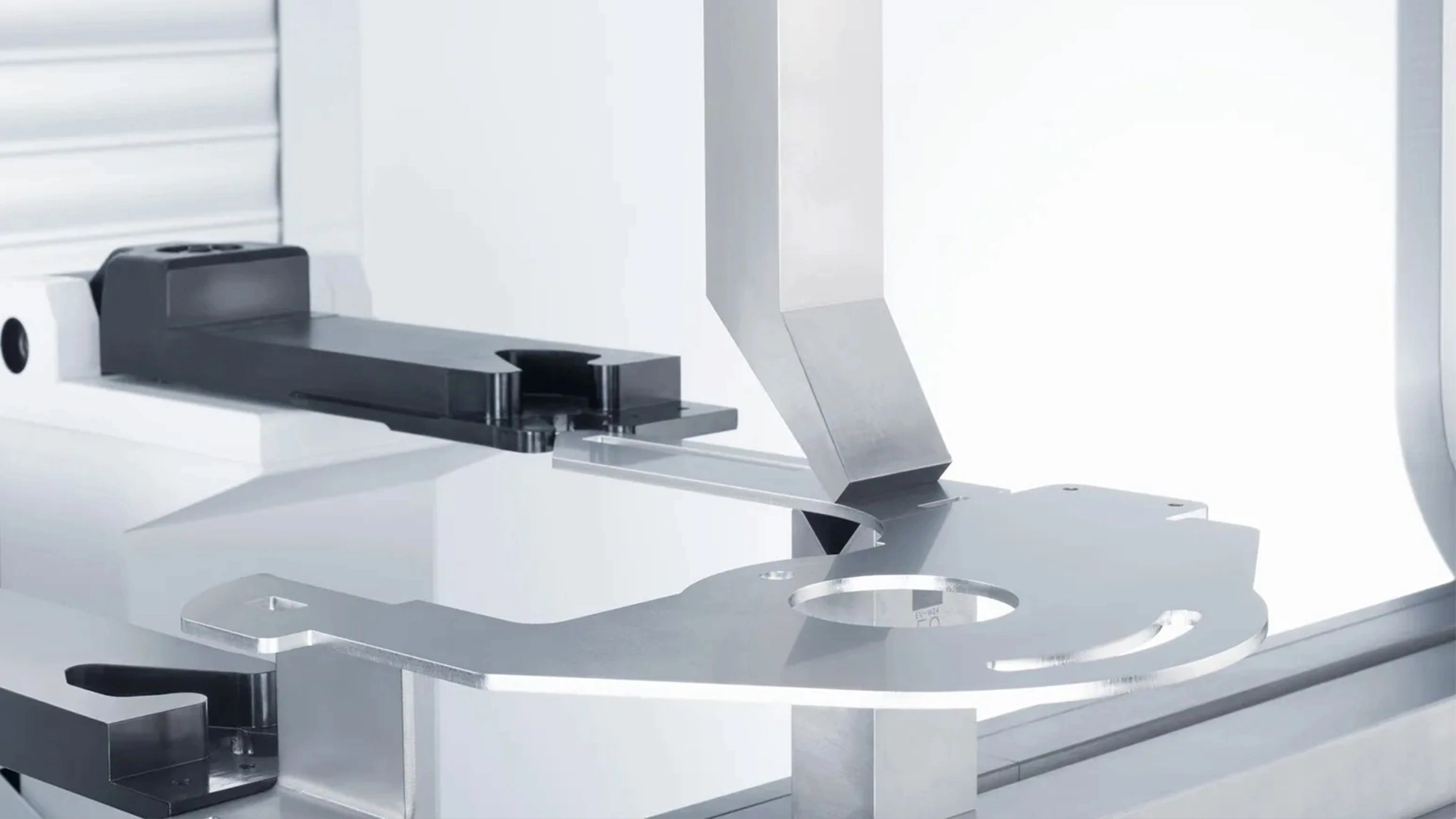







Common CNC Press Brake Faults and Solutions
Electrical faults can disrupt CNC press brake operation, often requiring precise diagnostics. Below are common issues and their fixes.

Fault 1: Low-Voltage Circuit Breaker Trips After Oil Pump Starts
: The circuit breaker trips immediately after starting the oil pump.
Phase loss in the power supply.
Severely clogged high-pressure filter, increasing motor current.Low-voltage circuit breaker setting too low.
Check Power Supply: Use a multimeter to confirm all phases are present. Correct wiring if phase loss is detected.
Inspect Filter:
: Replace the high-pressure filter if clogged, ensuring proper oil flow.Adjust Breaker.
: Increase the circuit breaker setting to match the motor’s rated current, per manufacturer specifications.: Monitor power supply stability and replace filters regularly.
Fault 2: Failure to Locate Reference Point During Startup: The press brake cannot find the reference point, halting operation.
Loose grating scale readhead connection, preventing alignment with the reference point.Improper shutdown, leaving the slider away from the top dead center.
Reconnect Grating Scale
: Press the red stop button, secure the grating scale readhead, and manually lower the slider to align with the lower mold. Return to the reference point in semi-automatic or automatic mode.Correct Shutdown Procedure.
Check Power Supply: Train operators on proper shutdown procedures and routinely check grating scale connections.
Inspect Filter:
: The control system screen is blank or grayish, and the programming key blinks.: Overloaded program buffer memory due to uncleared programs.
Initialize System: Disconnect the main power, press “+ +” and “- -” keys simultaneously, then power on to enter initialization mode.
Clear Memory: Input “1” to select the project, enter password “817,” and confirm to clear the buffer.
: Clear unused programs after each job to prevent memory overload.
: Press the red stop button, secure the grating scale readhead, and manually lower the slider to align with the lower mold. Return to the reference point in semi-automatic or automatic mode.: Cumulative errors in “Y1” and “Y2” axis positioning lead to inaccurate bending angles.
Check Power SupplyClean Grating Scale.
Inspect Filter:
Improve Installation: Redesign any improper mounting to enhance stability.
Repair or Replace: Return faulty grating scales to the manufacturer for repair or replacement.
: Implement dust covers and vibration-dampening measures for grating scales.Fault 5: “X” or “R” Axis Safety Distance Alarm After Programming.
Clear Memory: Conflict between mold safety distance settings, “X” or “R” axis limits, and programmed positions.
Reprogram Parameters
: Press the red stop button, secure the grating scale readhead, and manually lower the slider to align with the lower mold. Return to the reference point in semi-automatic or automatic mode.Verify Limits.
Check Power Supply: Validate program parameters during setup to ensure compatibility with mold configurations.
Inspect Filter:
: The system displays a motor error alarm (e.g., 16# for overload, 22# for encoder issues).16# Alarm: Motor overload due to excessive mechanical resistance.
22# Alarm: Encoder feedback signal issues from poor connections or interference.For 16# Alarm.
: Inspect “X” and “R” axis transmission for flexibility, addressing excessive resistance or mechanical limits.For 22# Alarm.
Loose grating scale readhead connection, preventing alignment with the reference point.: Regularly lubricate transmission components and shield encoder cables from electromagnetic interference.
Fault 7: Discrepancy Between “Y1” and “Y2” Axis Displayed and Actual Positions
: The control system shows incorrect “Y1” and “Y2” axis positions.
: Inaccurate reference point calibration.
: Press the red stop button, secure the grating scale readhead, and manually lower the slider to align with the lower mold. Return to the reference point in semi-automatic or automatic mode.: Recalibrate the “Y1” and “Y2” axes to align with the actual positions.
Check Power Supply:
Fault 8: Discrepancy Between System’s “X” or “R” Axis Displayed and Actual Positions.
: The displayed “X” or “R” axis positions do not match their actual positions.
: Axis positions were moved during power-off, while the system retained the pre-shutdown position.
Inspect Filter:
Initialize System: Ensure axes are not manually moved during power-off states.
Fault 9: “Y1” and “Y2” Axis Position Deviation Exceeds Allowable Synchronization Range: The slider cannot move due to excessive deviation between “Y1” and “Y2” axes.
: Improper shutdown without aligning the slider with molds, causing deviation from tool drop.Adjust Parameters.
Clear MemoryManual Correction.
: Enter manual mode, lower the slider, and allow the system to auto-correct the position.
: Press the red stop button, secure the grating scale readhead, and manually lower the slider to align with the lower mold. Return to the reference point in semi-automatic or automatic mode.Maintaining a CNC press brake requires proactive troubleshooting and regular maintenance. By addressing mechanical, hydraulic, and electrical faults promptly using the solutions outlined above, you can minimize downtime and ensure consistent bending accuracy. Implement a routine maintenance schedule, train operators on proper procedures, and use high-quality components to extend the lifespan of your press brake.
Check Power Supply:
blog.
CNC Press Brake Faults and Solutions.
press brake safety.
Inspect Filter:
Check Oil Level: Ensure the oil level is 5mm above the filling port to fully submerge it. Top up with manufacturer-recommended hydraulic oil if needed.
Adjust Speed: Modify system parameters to reduce fast-forward speed, allowing adequate filling time.
Clean Filling Valve: Disassemble and clean the filling valve to restore smooth valve core movement.
Loose grating scale readhead connection, preventing alignment with the reference point.: Monitor oil levels and quality regularly, replacing or filtering oil as needed.
Fault 3: Normal Slider Return and Fast-Forward, but Weak Manual Slow Descent
: Press the red stop button, secure the grating scale readhead, and manually lower the slider to align with the lower mold. Return to the reference point in semi-automatic or automatic mode.: The slider operates normally in return and fast-forward modes but lacks power during manual slow descent.
Check Power Supply:
Malfunctioning “two-position four-way” valve, causing the filling valve to remain open.
Stuck filling valve due to contamination.
Inspect Filter:
Inspect Valve Operation: Check if the directional valve is energized or stuck. Repair electrical faults or free the valve core.
Clean Filling Valve: Disassemble, clean, and lubricate the filling valve to ensure smooth operation.
Clear Memory: Use high-quality hydraulic oil and install filters to minimize contamination risks.
Fault 4: Slow Slider Return Speed with High Return Pressure
: Press the red stop button, secure the grating scale readhead, and manually lower the slider to align with the lower mold. Return to the reference point in semi-automatic or automatic mode.: The slider returns slowly, and return pressure is unusually high.
Check Power Supply: Filling valve not fully opened, restricting oil flow.
Inspect Filter:
Refer to Fault 3’s solution: Clean the filling valve and check the directional valve for proper operation.
Additional Check: Verify hydraulic pump performance to rule out flow restrictions.
Clear Memory: Schedule regular hydraulic system maintenance to prevent valve blockages.
3. Electrical System Faults and Solutions of Press Brake
Electrical faults can disrupt CNC press brake operation, often requiring precise diagnostics. Below are common issues and their fixes.
Fault 1: Low-Voltage Circuit Breaker Trips After Oil Pump Starts
: Press the red stop button, secure the grating scale readhead, and manually lower the slider to align with the lower mold. Return to the reference point in semi-automatic or automatic mode.: The circuit breaker trips immediately after starting the oil pump.
Check Power Supply:
Phase loss in the power supply.
Severely clogged high-pressure filter, increasing motor current.
Low-voltage circuit breaker setting too low.
Inspect Filter:
Check Power Supply: Use a multimeter to confirm all phases are present. Correct wiring if phase loss is detected.
Inspect Filter: Replace the high-pressure filter if clogged, ensuring proper oil flow.
Adjust Breaker: Increase the circuit breaker setting to match the motor’s rated current, per manufacturer specifications.
Clear Memory: Monitor power supply stability and replace filters regularly.
Fault 2: Failure to Locate Reference Point During Startup
: Press the red stop button, secure the grating scale readhead, and manually lower the slider to align with the lower mold. Return to the reference point in semi-automatic or automatic mode.: The press brake cannot find the reference point, halting operation.
Check Power Supply:
Loose grating scale readhead connection, preventing alignment with the reference point.
Improper shutdown, leaving the slider away from the top dead center.
Inspect Filter:
Reconnect Grating Scale: Press the red stop button, secure the grating scale readhead, and manually lower the slider to align with the lower mold. Return to the reference point in semi-automatic or automatic mode.
Correct Shutdown Procedure: Manually lower the slider to align molds before shutdown, then restart and return to the reference point.
Clear Memory: Train operators on proper shutdown procedures and routinely check grating scale connections.
Fault 3: System Screen Shows No Display, Appears Grayish-White, with Blinking Programming Key Indicator
: Press the red stop button, secure the grating scale readhead, and manually lower the slider to align with the lower mold. Return to the reference point in semi-automatic or automatic mode.: The control system screen is blank or grayish, and the programming key blinks.
Check Power Supply: Overloaded program buffer memory due to uncleared programs.
Inspect Filter:
Initialize System: Disconnect the main power, press “+ +” and “- -” keys simultaneously, then power on to enter initialization mode.
Clear Memory: Input “1” to select the project, enter password “817,” and confirm to clear the buffer.
Clear Memory: Clear unused programs after each job to prevent memory overload.
Fault 4: Inaccurate Grating Scale Counting, Causing Bending Angle Errors
: Press the red stop button, secure the grating scale readhead, and manually lower the slider to align with the lower mold. Return to the reference point in semi-automatic or automatic mode.: Cumulative errors in “Y1” and “Y2” axis positioning lead to inaccurate bending angles.
Check Power Supply: Grating scale feedback signal drops pulses due to contamination or poor installation.
Inspect Filter:
Clean Grating Scale: Disassemble and clean the grating scale, ensuring dust and vibration protection.
Improve Installation: Redesign any improper mounting to enhance stability.
Repair or Replace: Return faulty grating scales to the manufacturer for repair or replacement.
Clear Memory: Implement dust covers and vibration-dampening measures for grating scales.
Fault 5: “X” or “R” Axis Safety Distance Alarm After Programming
: Press the red stop button, secure the grating scale readhead, and manually lower the slider to align with the lower mold. Return to the reference point in semi-automatic or automatic mode.: The system alarms and halts due to safety distance violations.
Check Power Supply: Conflict between mold safety distance settings, “X” or “R” axis limits, and programmed positions.
Inspect Filter:
Reprogram Parameters: Adjust the mold or program settings to eliminate conflicts.
Verify Limits: Check “X” and “R” axis limit settings in the control system.
Clear Memory: Validate program parameters during setup to ensure compatibility with mold configurations.
Fault 6: “X” or “R” Axis Drive Motor Error Alarm
: Press the red stop button, secure the grating scale readhead, and manually lower the slider to align with the lower mold. Return to the reference point in semi-automatic or automatic mode.: The system displays a motor error alarm (e.g., 16# for overload, 22# for encoder issues).
Check Power Supply:
16# Alarm: Motor overload due to excessive mechanical resistance.
22# Alarm: Encoder feedback signal issues from poor connections or interference.
Inspect Filter:
For 16# Alarm: Inspect “X” and “R” axis transmission for flexibility, addressing excessive resistance or mechanical limits.
For 22# Alarm: Check encoder connections for loose contacts, disconnection, or signal interference.
Clear Memory: Regularly lubricate transmission components and shield encoder cables from electromagnetic interference.
Fault 7: Discrepancy Between “Y1” and “Y2” Axis Displayed and Actual Positions
: Press the red stop button, secure the grating scale readhead, and manually lower the slider to align with the lower mold. Return to the reference point in semi-automatic or automatic mode.: The control system shows incorrect “Y1” and “Y2” axis positions.
Check Power Supply: Inaccurate reference point calibration.
Inspect Filter:
Reinitialize Reference Point: Recalibrate the “Y1” and “Y2” axes to align with the actual positions.
Clear Memory: Perform reference point calibration after major adjustments or power interruptions.
Fault 8: Discrepancy Between System’s “X” or “R” Axis Displayed and Actual Positions
: Press the red stop button, secure the grating scale readhead, and manually lower the slider to align with the lower mold. Return to the reference point in semi-automatic or automatic mode.: The displayed “X” or “R” axis positions do not match their actual positions.
Check Power Supply: Axis positions were moved during power-off, while the system retained the pre-shutdown position.
Inspect Filter:
Reinitialize Axes: Recalibrate the “X” and “R” axis positions in the control system.
Clear Memory: Ensure axes are not manually moved during power-off states.
Fault 9: “Y1” and “Y2” Axis Position Deviation Exceeds Allowable Synchronization Range
: Press the red stop button, secure the grating scale readhead, and manually lower the slider to align with the lower mold. Return to the reference point in semi-automatic or automatic mode.: The slider cannot move due to excessive deviation between “Y1” and “Y2” axes.
Check Power Supply: Improper shutdown without aligning the slider with molds, causing deviation from tool drop.
Inspect Filter:
Adjust Parameters: Increase the synchronization deviation range by Ascending 5mm in system parameters.
Manual Correction: Enter manual mode, lower the slider, and allow the system to auto-correct the position.
Clear Memory: Always align the slider with molds before shutdown to prevent deviation.
Press brake maintenance and repair should be viewed as an ongoing process rather than a reaction to failure. Proper lubrication, careful hydraulic system management, and regular mechanical inspection form the foundation of reliable machine operation. These practices not only reduce downtime but also help maintain consistent bending accuracy over the machine’s service life.
Maintaining a CNC press brake requires proactive troubleshooting and regular maintenance. By addressing mechanical, hydraulic, and electrical faults promptly using the solutions outlined above, you can minimize downtime and ensure consistent bending accuracy. Implement a routine maintenance schedule, train operators on proper procedures, and use high-quality components to extend the lifespan of your press brake.
For more information on CNC press brake maintenance or advanced troubleshooting, contact your equipment supplier or refer to the manufacturer’s manual.

V-Grooving Machine
- Press Brake
- Laser Cutting Machine
- Shearing Machine
- Press Brake Safety Precautions: Complete Guide for Safe Operation and Maintenance
- Hydraulic Press Machine
- Read more about Practical Methods for Press Brake Accuracy with Long Term Precision
- Rolling Machine
- Ironworker
- Press Brake Tooling
- Machinery Accessories